A day well spent (encoding floats to RGBA)
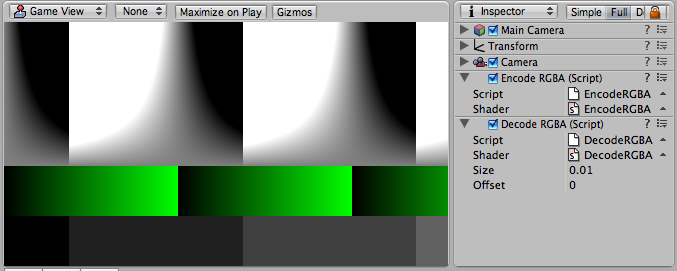
RGBA encoding 01Breaking news: sometimes seemingly trivial tasks take insane amounts of time! I am sure no one knew this before! So it was yesterday – almost whole day spent fighting rounding/precision errors when encoding floating point numbers into regular 8 bit RGBA textures. You know, the trivial stuff where you start with

inline float4 EncodeFloatRGBA( float v ) {
  return frac( float4(1.0, 256.0, 65536.0, 16777216.0) * v );
}
inline float DecodeFloatRGBA( float4 rgba ) {
  return dot( rgba, float4(1.0, 1.0/256.0, 1.0/65536.0, 1.0/16777216.0) );
}

and everything is fine until sometimes, somewhere there’s “something wrong”. Must be rounding or quantizations errors; or maybe I should use 255 instead of 256; plus optionally add or subtract 0.5/256.0 (or would that be 0.5/255.0?). Or maybe the error is entirely somewhere else, and I’m just chasing ghosts here!
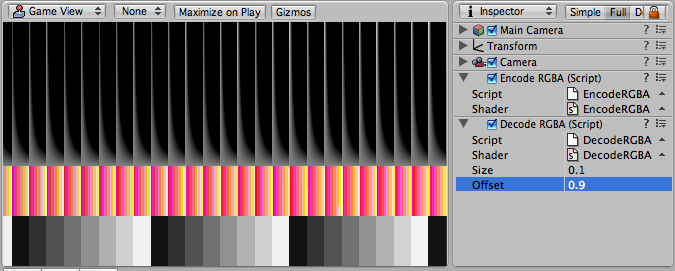
RGBA encoding 02What would you do then? Why, of course, build an Encoding Floats Into Textures Studio 2007! (don’t tell me it’s not a great idea for a commercial software package! game studios would pay insane amounts of money for a tool like this!) The images here are exactly that – render into a texture, encoding UV coordinate as RGBA, then read from that texture, displaying RGBA and error from the expected value in some weird way. Turns out image postprocessing filters in Unity are a pretty good tool to do all this. Yay!
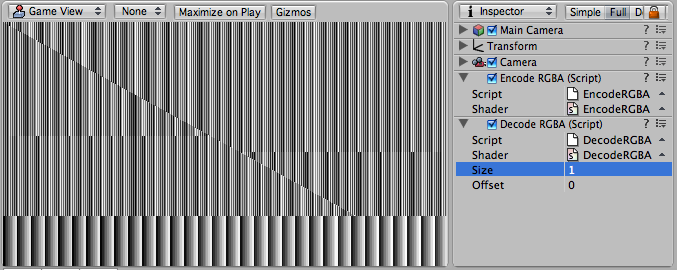
RGBA encoding 03Sometimes in situations like this I figure out that graphics hardware still leaves a lot to be desired. This last image shows some calculations that depend only on the horizontal UV coordinate, so they should produce some purely vertical pattern (sans the part at the bottom, that is expected to be different). Heh, you wish!

13 Responses to 'A day well spent (encoding floats to RGBA)'

  1. ReJ

    Have you tried exactly the same code on CPU? My pure non-educated guess would be that such operations screw up precision anyhow…

  2. ReJ

    … give a bit of a thought for a previous (offline) discussion. Corrected code:

    // rgba_encoded_b = tex2d(s)
    // x = (a >= rgba_encoded_b)

    float4 t = sign(EncodeFloatRGBA(a) – rgba_encoded_b);
    x = (dot(float4(8,4,2,1), t) >= 0);

  3. NeARAZ

    Does not quite work. I think this code depends on sign() returning zero in case arguments are equal; otherwise only the first component (dotted with 8) affects the result.

    Now, one argument comes from a 8-bit texture, while the other is encoded on the fly. So basically they are never equal (at least I couldn’t make them equal). What would be needed here is some sort of QuantizeFloatAsYouWouldDoWhenWritingIntoATexture() function :)

  4. ReJ

    I suppose you can simulate quantinization by scaling and clamping. For example something along the lines:

    // t = sign(EncodeFloatRGBA(a)-rgba_encoded_b);

    float INV_EPSILON = 127;// or 255?
    d = EncodeFloatRGBA(a)-rgba_encoded_b;
    t = (clamp(d*INV_EPSILON+0.5)-0.5)*2;

  5. NeARAZ

    …but it still won’t be exactly like the quantized version. For example, it looks like Radeon X1600 quantizes like this: x*255.0-0.55781; the last number is approximate. No idea why it’s a minus, because I would think it should be a plus, but experiments tell otherwise.

    So my thinking is that the chances of getting quantized-float-myself and float-coming-from-8bit-texture equal are pretty slim.

  6. ReJ

    Hmmm… I wonder if you would get the same quantinization by doing ‘dummy’ texture reads from the 256×256 texture filled with f(u,v,0,1)… but even if that would work, it’s of course 2 additional texture reads per pixel, which is basically a crap :(

  7. gleserg

    Quick check.
    Didn’t test it in life, but mathematics seem to be incorrect.

    Let’s test it with value 1/3 = 0.33333333333…

    frac( (1/3)*float3(1,2,4) ) = float3(1/3,2/3,1/3)

    but

    dot( float3(1/3,2/3,1/3), float3(1,1/2,1/4) ) = 1/3 + 1/3 + 1/12 is far from original 1/3

    I might misunderstood the idea though

  8. nearaz

    The thing is that first component encodes the value. Second encodes the fraction of the value that got rounded off (because of limited precision of the first component). And so on.

    If you’re using 1,2,4 for encoding; that would mean it encodes for a 1-bit texture or something like that.

  9. gleserg

    I meant RGBADecode(RGBAEncode(z))!=z, component fraction values seem to overlap. Shouldn’t RGBAEncode contain something like:

    out.w = frac(16777216.0*v);
    v-=out.w/16777216.0;
    out.z = frac(65536.0*v);
    v-=out.z/65536.0;
    out.y = frac(256.0*v);
    v-=out.y/256.0;
    out.x = v;

    Of course it’s way slower than vectorized frac, but in this case
    out.rgba = (RGBADecode(RGBAEncode(z))==z)
    renders totally white and both of
    out.rgba = (RGBADecode(RGBAEncode(z))z);
    render totally black picture.

    The only thing I didn’t check yet is how value rounding during texture read/writes will affect precision.

  10. gleserg

    oops, html ate my comment :)
    out.rgba = (RGBADecode(RGBAEncode(z)) < z);
    out.rgba = (RGBADecode(RGBAEncode(z)) > z);
    both render black.
    (1,2,4) were simply a mathematical replacement, maybe a bad one

  11. gleserg

    Oops, forgot about HTML.

    After some thinking with Rej and Kravchenko, the final idea looks like:

    Just before truncating to a screen buffer byte value 0..255, our number looks like

    0.1234 5678 9ABC DEFG HIJK LMN // 23 bit mantissa, with exponent=0, numbers represent binary digits

    frac(0.123456789ABCDEFGHIJKLMN) = 0.123456789ABCDEFGHIJKLMN
    framebuffer will receive 12345678 + ((bit9>0)?1:0); // rounded

    frac(0.123456789ABCDEFGHIJKLMN * 256) = frac(0.123456789ABCDEFGHIJKLMN << 8) = frac(12345678.9ABCDEFGHIJKLMN) = 0.9ABCDEFGHIJKLMN
    framebuffer will receive 9ABCDEFG + ((bitH>0)?1:0); // rounded

    frac(0.123456789ABCDEFGHIJKLMN * 65536) = frac(0.123456789ABCDEFGHIJKLMN << 16) = frac(123456789ABCDEFG.HIJKLMN) = 0.HIJKLMN0
    framebuffer will receive HIJKLMN0

    further multiplication with 16777216.0 is useless since IEEE mantissa has not enough precision.

    bit 9 affects both first byte and second which is bad and causes error you mentioned. The same goes for bit H which affects 2nd and 3rd bytes.

  12. Lost in the Triangles » Blog Archive » Encoding floats to RGBA, redux

    [...] has interesting comments in my earlier post. So I thought I’d share what I am using right now, and try to throw some more complexities in [...]

  13. Lost in the Triangles » Blog Archive » Encoding floats to RGBA, again

    [...] it looks like the quest for encoding floats to RGBA textures (part 1, part 2) did not end [...]

Leave a Reply